Overview
Try Ottimate Capture is a 15-day free trial experience that lets you experience the power of Ottimate’s capture technology! Simply upload an invoice and watch Ottimate capture header and line-item-level details instantly. It’s a simple first step to see how it works in real-time, with your invoices.
How It Works
Account Set Up
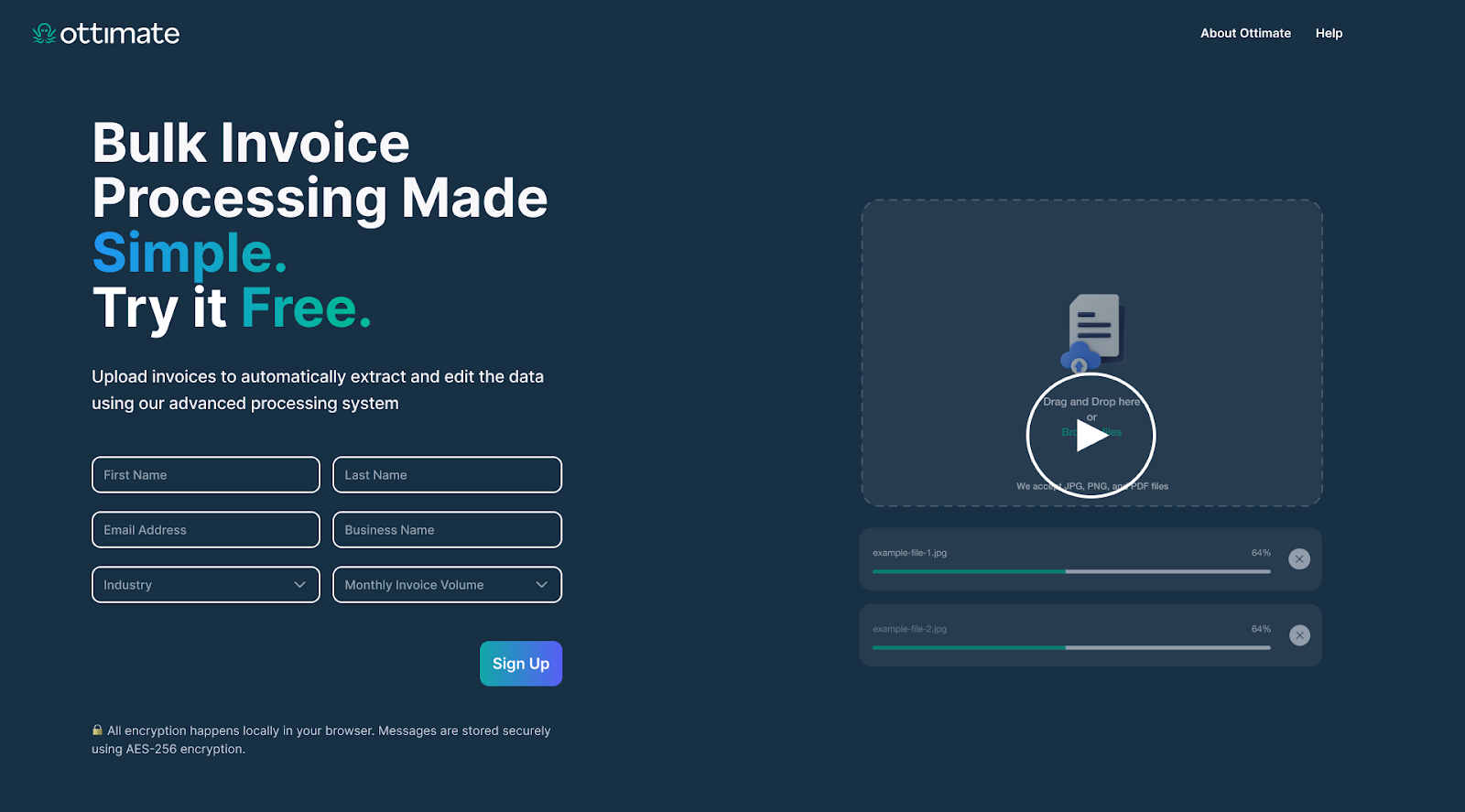
Input your First Name, Last Name, Email Address, Business Name, Industry, and Monthly Invoice Volume into the form and click “Sign Up”.
Note: We allow one user per trial account.
Check your email inbox to authenticate your account and receive a link to your trial experience.
Click on the link provided in the email to access your trial account.
Upload Invoices
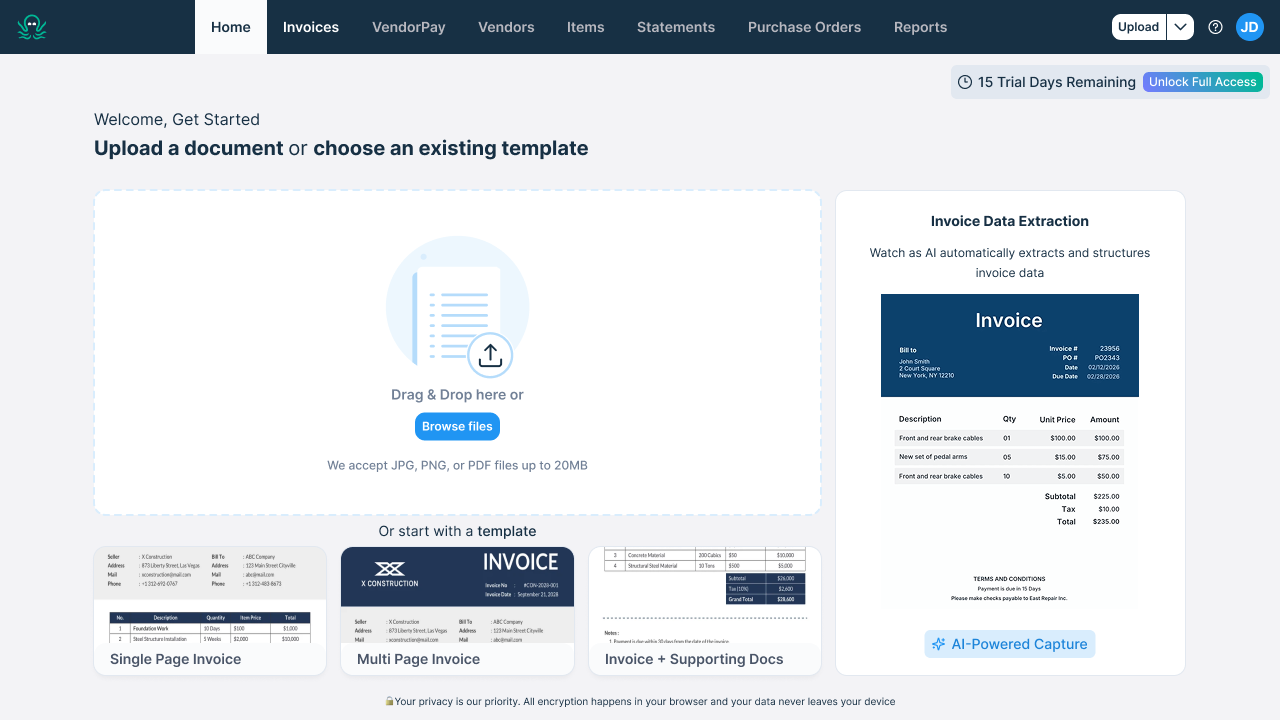
Drag and drop your invoice(s), or click “Browse Files” to search your computer for the invoice you’d like to upload. Alternatively, you can select a template for a single-page invoice, a multi-page invoice, or an invoice with supporting documentation to get started.
Note: Your trial account will be limited to 15 pages uploaded per day.
If you’ve uploaded multiple pages, our page sorter will ask you a series of Yes/No questions to determine which pages fit together on a single invoice.
Ottimate will automatically begin capturing invoice details and finalizing the display structure.
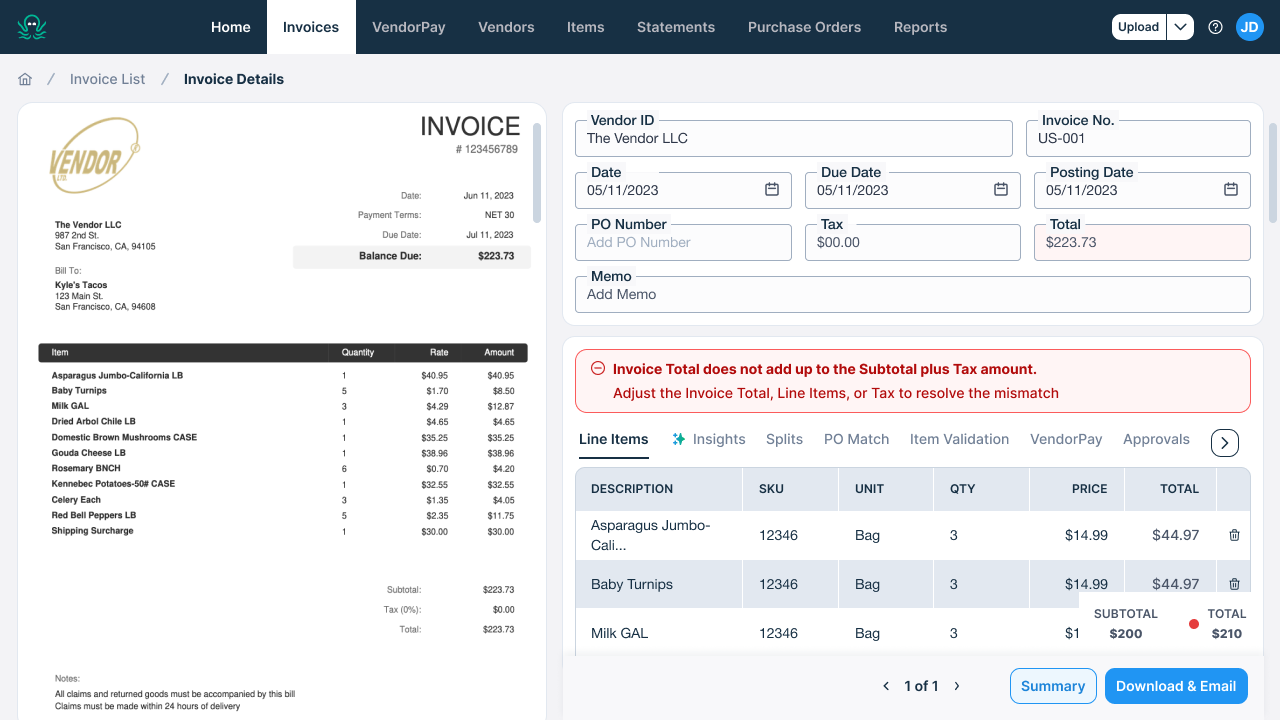
Ottimate will provide a detailed view of your invoice data and alert you to any errors or mismatches that need to be resolved.
Export File
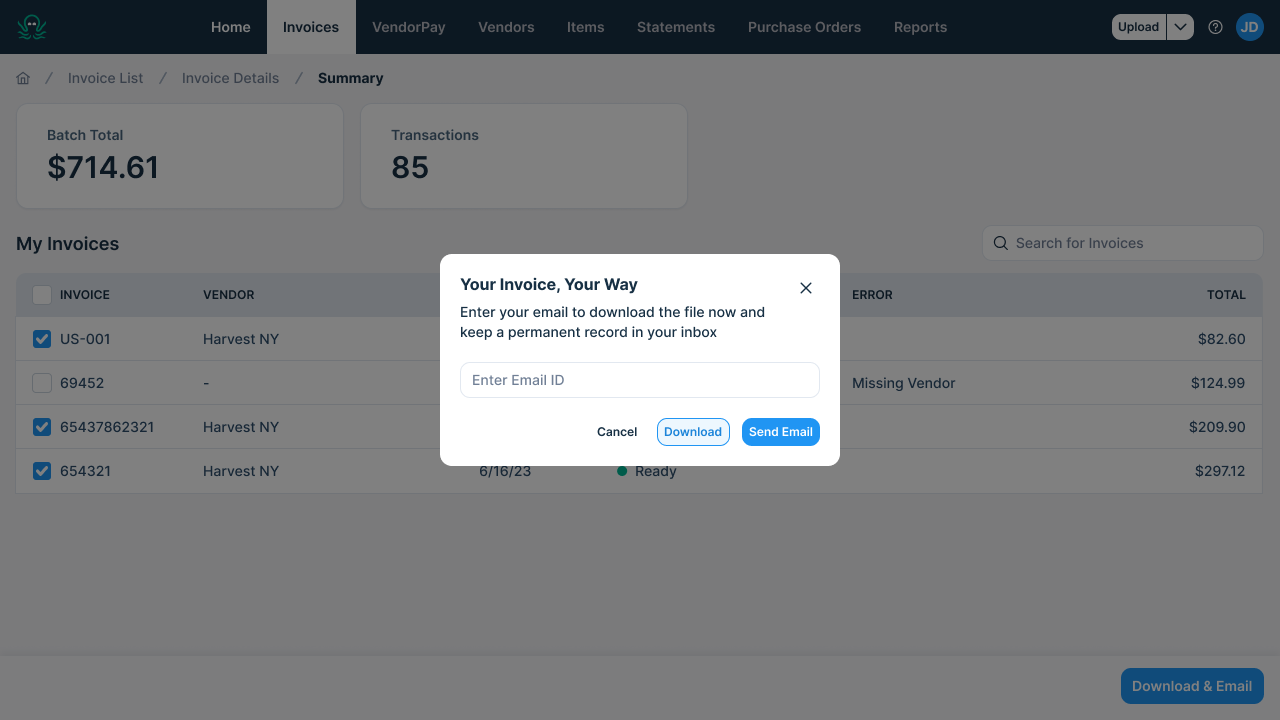
Once any errors have been resolved, select which data you’d like to export via the check mark boxes on the Summary page.
You can choose to Download, Email, or Download & Email your data from a single or multiple invoice(s). The file can be sent to multiple email addresses, separated by commas.
Go to your homepage to upload additional invoices.
Additional Information
If you are experiencing issues, contact Ottimate Support by emailing Support@ottimate.com. To learn more about Ottimate’s full offering and how it can elevate your workflows, book a demo.
Was this article helpful?
That’s Great!
Thank you for your feedback
Sorry! We couldn't be helpful
Thank you for your feedback
Feedback sent
We appreciate your effort and will try to fix the article